updraft

Hold to climb. Let go to fall.

One button flies the drone through a cave that keeps getting tighter. That's all the controls there are. How far can you get?

Solo or multiplayer?

normal the real cave

The cave narrows as you go and blocks appear in the middle.

quick rules

updraftone button cave flyer, hold to climb

Updraft is a one-button cave flight. Hold to push the drone up, release and gravity pulls it down, and the cave scrolls toward you at a speed that rises with distance. The drone never moves sideways on its own, so the only thing you decide is how high it is when each stretch of wall arrives.

The physics has momentum. Holding accelerates the drone upward at 143 units per second squared and releasing accelerates it downward at 87.5, so a hold is about 1.6 times as strong as gravity. Vertical speed is capped at 95 units per second, and the drone keeps whatever speed it has when you change your mind. That is why a tap of a fifth of a second still carries the drone about 7.6 units, more than 60 percent of it after you let go.

Easy, normal and hard change the cave, not the controls. Each level has its own starting gap (64, 56 or 48 units), its own tightest gap (40, 32 or 27) and its own speed range, and the same climb and fall strength applies to all three. You can also fly the day's seeded cave and compare distances, or take a friend's challenge link and fly the exact cave they flew.

Full rules and strategy for updraft
Rules, controls, scoring & tips

about the game

Playing updraft

A free one-button cave flyer. Hold anywhere, release, repeat. Every run is a new cave, and the daily cave is the same for everyone. No download, no account.

Controls

  • Touch: press and hold inside the flight arena to climb; lift your finger to fall.
  • Mouse: hold the pointer button in the arena to climb, then release.
  • Keyboard: hold Space, W or the Up arrow to climb; release the key to fall.
  • Each run starts with a ready, set, go countdown, and a hold you begin during it carries into the first climb. Hiding the tab (switching tabs or minimising the window) pauses the flight, and holding again resumes it.

Scoring

Your score is distance travelled in metres, two world units to the metre, rounded down. There are no points for close passes, taps or difficulty. At the normal start speed of 46 units per second the drone covers 23 metres a second, so 100 m takes about 4 seconds early on and less as the cave speeds up. Each level keeps a separate personal best and leaderboard, and in normal play only a flight that beats your best on a level is stored on the all-time board.

Tips

  • Release before reaching the height you want. A 0.2 second hold from rest reaches 7.6 units of height in total, and 4.7 of those come after you let go.
  • Size your holds to the gap. From the middle of a normal-level opening gap there is about 25.6 units of room each way, and a hold of more than roughly 0.37 seconds from rest carries the drone into the wall. At the tightest hard gap the same limit is about 0.24 seconds.
  • Pick your side of a block while it is still ahead of the drone. The drone sits 26 percent of the way across the view, so you see about 80 units ahead, which is 2 seconds at the slowest easy speed and under 1 second at the hard top speed.
  • Practise on easy only to learn the rhythm. Its widest cave and 40 unit speed give two seconds of warning, while hard falls under one second at its top speed of 92, so tap size matters most there.
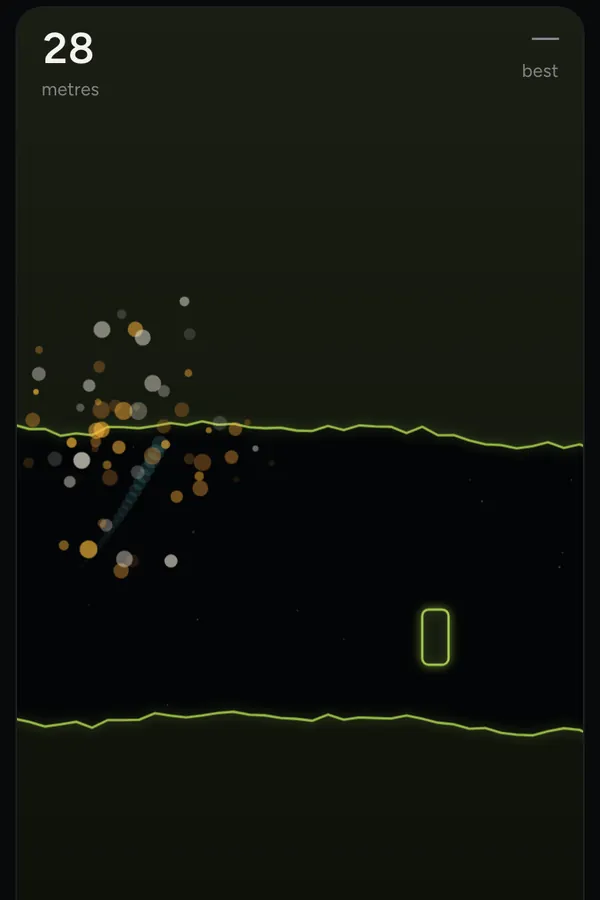
Debris from a crashed drone between cave walls, with a distance counter reading 28 m.
Full rules and strategy for updraft Play today's updraft daily

questions

updraft questions

How do I control the drone in updraft?

Hold your finger or mouse button inside the flight arena to climb, then release to fall. On a keyboard, hold Space, W or the Up arrow. Forward travel is automatic, so you only control height while avoiding cave walls and blocks.

Does a wider screen show more cave?

No. The game uses a fixed view 108 world units wide, so a wider display does not reveal extra cave ahead of the drone.

What ends a flight?

One collision with a cave wall or a block ends the run. There are no extra lives or shields. Flying more than 5 units above or below the arena also ends it, but the walls normally stop you long before that. Passing close without touching is allowed and triggers scrape feedback.

Why does the drone feel like it overshoots?

Holding builds upward speed and releasing does not remove it, so the drone keeps rising until gravity cancels that speed. A short hold followed by a release is nearly always better than holding until the drone reaches the target height.

Are the blocks ever impossible to pass?

No. After a block is placed the generator checks the space above and below it and, if neither side is at least 10 units wide, moves or shrinks the block so one side is. The drone is 4.8 units across, so a passage is always a little more than twice its width.

Can a friend fly the cave I just played?

After a solo flight, challenge a friend shares its seed, level and distance. You can also choose Multiplayer to compare separate flights in a private live room or a shared challenge. Rooms need a connection.

Does playing offline change anything?

The flight itself runs entirely in your browser, so a dropped connection after the page loads does not stop it. A score can only be sent to the leaderboard if the game could register the flight when you took off.